Dashboard
Changelog
November 2026
TWEETWATCH v2.0 — REAL-TIME X FEEDS & DISCORD GAMING
• Real-time X (Twitter) Timeline Monitoring with sub-minute delivery
• Follow up to 2 X profiles for 100% free with customizable channels
• Smart Feed Filters: filter by keyword, hashtag, and exclude @replies or retweets
• Role & User Mentions: ping @everyone or custom alert roles per X account
• Message Templating: custom embed colors, compact/rich cards, and variables
• NexusPlay Retro Gaming: multiplayer arcade rooms in voice/text with /play
• Resilient AES-256 encrypted authentication tokens for private account tracking
• FxTwitter / vxTwitter auto-embed link resolver for Discord chat
• BetterBase Cloud Telemetry & persistent project isolation (mtlz1c)
Blog
How to Route Multiple X (Twitter) Accounts to Discord Threads
November 2026 • 4 min read
Getting started
What you can do to make the most out of TWEETWatch:
1. Add your followed X handles under X Feeds
2. Pick a Discord channel or forum thread for alerts
3. Set keyword filters & alert roles (@Tweets)
4. Try /play in chat to spin up multiplayer retro games
TWEETWatch statistics
1.2M+
Tweets delivered
10.4K+
Discord servers
99.9%
Gateway uptime
Manage Server
 ❤️ Lost Love Crew
🌐
TWEETWatch server language
Choose the language TWEETWatch will use in your server.
🕒
Server timezone
Midnight in this timezone is when daily posts occur, such as birthdays when the server has no timezone.
Server tools
🤖
Custom Bot
Customize TWEETWatch's server profile with a custom username, bio, avatar, and banner.
🐦
X (Twitter) Feeds
Set up real-time tweet notifications for Twitter/X profiles with sub-minute delivery.
🔍
Feed Filters & Keywords
PRO
Filter incoming tweets by keywords, hashtags, and exclude retweets or replies before posting.
🔔
Role & Member Mentions
Automatically mention @everyone, @here, or designated alert roles when tweets are detected.
🎂
Birthday
Celebrate member birthdays automatically with special roles, messages, and confetti.
🖼️
Embeds
Build and send rich, interactive embeds directly into any server channel.
🛡️
Roles
Auto-assign join roles, manage role hierarchies, and configure sticky roles.
⚡
Levels
Reward active community members with XP, rank cards, and automated leveling roles.
✨
Reaction Roles
Allow members to click emoji reactions to pick or remove notification roles easily.
📝
Forms
Create custom application forms, surveys, and intake tickets with automated reviews.
🔨
Moderation
Kick, ban, mute, warn, and automate moderation actions with full audit tracking.
📝
Message Templating
PRO
Customize message format, embed colors, compact/rich layout, and dynamic variables.
🎮
NexusPlay Arcade (/play)
Launch instant retro multiplayer gaming sessions right inside your Discord channels.
🔗
FxTwitter Link Fixer
Automatically resolve and rewrite x.com and twitter.com links to fix broken video embeds.
🔐
Cookie & Token Vault
Store encrypted X session cookies with AES-256 for private timeline monitoring and high rates.
💡
Suggestions
Dedicated suggestion channels with community upvote/downvote polling.
🛡️
Auto Mod
Filter profanity, spam, invite links, and phishing URLs automatically.
📊
Stats
Display real-time member counts, bots, and voice statistics channel counters.
📜
Audit Logs
Forward detailed moderation events and audit trail records to staff channels.
📌
Sticky Messages
Pin persistent announcements that automatically stay at the bottom of active chat.
🎉
Giveaways
Host automated giveaways with reaction entries, role restrictions, and winners.
📁
Logs
Comprehensive logging for deleted messages, role changes, voice activity, and joins.
⭐
Starboard
Showcase top-reacted community highlights and favorite messages in a hall of fame.
👋
Welcome
Custom welcome banner cards, greeting messages, and automated DM greetings.
Platform Select
Kick
#live
Twitch
#live
Rumble
#live
beta
TikTok 👑
#live
#upload
YouTube
#live
#video
#shorts
X
#post
#live
Club
#post
coming soon
Reddit
#post
coming soon
Instagram
#post
Overrides
👑 0/1 overridesIgnore notifications
Ignore notifications if they dont match any override
Key phrases
Enter keywords or phrases to filter, separated by commas.
Override type
Choose a filter type, such as title, category, or tag.
Apply to
Select platforms to apply these overrides to.
Post types
Only apply this override to these kinds of post. Leave empty to apply to all of them.
Priority
Assign a priority (1 = highest).
👑
Creators
Only apply this override to these creators. Leave empty to apply to every creator on the platforms above.
Max duration
Only apply this override to streams shorter than this, in minutes. Leave at 0 for no maximum.
Min duration
Only apply this override to streams longer than this, in minutes. Set both to match a range. Leave at 0 for no minimum.
Minimum followers
Only apply this override to creators with at least this many followers. Leave at 0 for no minimum.
Override channel
Select a channel to override.
Ping role
Select a ping role to override.
Additional action
Configure additional actions to override.
No overrides yet
Create an override above to change how notifications behave for specific keywords or channels.
Influencer Panel
!
Something went wrong
The Influencer Panel setup could not be loaded.
Auto Twitch Live Role
0 / 1 live rolesAuto live role
Set the role for members when streaming, with allowed roles and blocked roles options.
Log channel
Post a message here whenever an auto live role is added or removed.
👑
Show TWEETWatch branding
The "Powered by TWEETWatch." footer on log lines.
📺
No auto live roles yet
Pick a role above and press Create. Members get it while they are live on Twitch.
Birthday Notifications
Birthday panel
Upcoming birthday panel
Send a panel listing upcoming birthdays. Choose how often the list refreshes.
Toggle birthday notifications
Toggle whether to enable birthday notifications.
Notification channel
Select the channel to send birthday notifications.
Birthday role
Choose the role to give the member on their birthday, lasting for 24 hours.
Show member birthday GIFs
Members can pick a GIF for their own birthday post. It replaces this message's image.
Birthday time
When a birthday post goes out: at midnight in the member's own timezone, or at midnight here for everyone.
#
Birthday threads & pins
TWEETWatch needs Create Public Threads and Pin Messages in the notification channel.
Open a thread on each birthday post
Pin each birthday post for the day
It is unpinned again after 24 hours.
Content
Author▼
Body▼
Fields▼
Images▼
Footer▼
Buttons▼
N
TWEETWatch
BOT
Today at 12:00 AM
@User
🎉 Happy Birthday BraveDragon572!
Have some cake or post a GIF below, hope you have a great day!
Invited list
✓
Available placeholders
{username}
{userTag}
{userMention}
{userId}
{guild}
{birthday}
{day}
{month:short}
{month:long}
{year}
{userAvatar}
Join Anniversaries
👑
Join anniversaries
Celebrate members on the day they have been in the server for another whole year. Posts go out once a day, after midnight in this server's timezone. Servers with more than 50,000 members are skipped for now.
Anniversary posts
Turn the anniversary posts on or off.
Notification channel
Where the anniversary posts go. Nothing is posted until one is set.
Milestone roles
Give a role once a member has been in the server for a number of years. A member keeps only the highest milestone role they have reached, so the lower ones in this list are taken off.
No milestone roles yet.
0 / 20 roles
Content
Author▼
Body▼
Fields▼
Images▼
Footer▼
N
TWEETWatch
BOT
Today at 12:00 AM
@User
🎂 Happy 2-year anniversary, BraveDragon572!
BraveDragon572 joined Example Guild 2 year(s) ago, on Tuesday, November 14, 2023. Thanks for being here!
Available placeholders
{guild}
{username}
{userId}
{userMention}
{userAvatar}
{guildIcon}
{years}
{joinedAt}
👑
Show TWEETWatch branding
The "Powered by TWEETWatch." footer on anniversary posts. This saves as soon as you change it.
Welcome/Leave Notifications
Toggle welcome notifications
Toggle whether to enable welcome notifications.
Notification channel
Select the channel to send welcome notifications.
Content
Author▼
Body▼
Fields▼
Images▼
Footer▼
Buttons▼
N
TWEETWatch
BOT
Today at 10:00 AM
Welcome to **Example Guild**, @User!
Available placeholders
{guild}
{username}
{userTag}
{userMention}
{guildMemberCount}
{userId}
{userAvatar}
{guildIcon}
Boost Notifications
Boosted post
Posted when a member boosts the server.
Boosted post
Turn the boosted post on or off.
Notification channel
Where the boosted post goes. Nothing is posted until one is set.
👑
Content
Author▼
Body▼
Fields▼
Images▼
Footer▼
N
TWEETWatch
APP
Today at 12:40 AM
@User just boosted Example Guild! We are now at 14 boosts.
Available placeholders
{guild}
{username}
{userId}
{userMention}
{userAvatar}
{guildIcon}
{boostCount}
{boostLevel}
Turn this post on and save to test.
Stopped boosting post
Posted when a member stops boosting the server. It can say how long they boosted for.
Stopped boosting post
Turn the stopped boosting post on or off.
Notification channel
Where the stopped boosting post goes. Nothing is posted until one is set.
👑
Content
Author▼
Body▼
Fields▼
Images▼
Footer▼
N
TWEETWatch
APP
Today at 12:40 AM
BraveDragon572 is no longer boosting Example Guild.
Available placeholders
{guild}
{username}
{userId}
{userMention}
{userAvatar}
{guildIcon}
{boostCount}
{boostLevel}
{boostDuration}
Turn this post on and save to test.
👑
Boost log
A line for every boost, second boost, stopped boost, server level change and milestone role change.
Log channel
Where the log lines go. Leave it empty for no log.
👑
Milestone roles
Give a role once a member has boosted for a number of months (30 days each). TWEETWatch checks once a day, so a new milestone applies within a day, and every milestone role comes off when the member stops boosting.
No milestone roles yet.
0 / 10 roles
👑
Booster board
A message listing everyone boosting the server. It redraws itself after every boost and once a day, and members can refresh it.
Board channel
Where the board is posted. Changing it moves the board there as soon as you save.
Pick a board channel and save to draw the board.
👑
Show TWEETWatch branding button
Show the TWEETWatch branding button on the boosted and stopped boosting posts. This saves as soon as you change it.
Giveaways
Log channel
Post a message here when giveaways start, end, or are rerolled.
Active giveaways
No active giveaways
Scheduled giveaways
No scheduled giveaways
Finished giveaways
No giveaway history
Starboard
0 / 1 starboardsEnable Starboard
Toggle to enable or disable the starboard.
Starboard channel
Select the channel for the starboard.
Reward role
Specify the role to award for starboard achievements.
Minimum reactions
Set the minimum number of reactions required.
Allow NSFW
Enable NSFW-filtered messages.
Allow self star
Allow members to star their own messages.
Allow bot messages
Allow bot messages to be starred.
Delete starboard message
Delete the starboard message if the original message is deleted.
👑
Auto thread
Toggle whether to enable auto-thread creation.
👑
Starboard emoji
Select the emoji for your starboard.
⭐
⊘
Allowed
⊘
Blocked
No starboards yet
Create a starboard above to start highlighting your best messages.
Sticky Message
0 / 1 sticky messagesDelay
Delay between sticky messages bumps (minimum 10 seconds / max 300 seconds).
Content
Author▼
Body▼
Fields▼
Images▼
Footer▼
👑
Custom button
▼
N
TWEETWatch
APP
Today at 12:47 AM
Available placeholders
{guildName}
{guildMemberCount}
{guildId}
{channelName}
{channelId}
{lastTriggerUser}
{lastTriggerUserId}
{lastTriggerUserMention}
Channel
Choose which channel you would like your sticky message to appear in.
👑
Who re-posts it
Only messages from members with an allowed role move the sticky message down. A blocked role always wins.
Allowed roles
Blocked roles
No sticky messages yet
Create a sticky message above to keep an important message pinned to the bottom of a channel.
Drops Notifications
Turn on drop notifications to send a test.
Toggle drop notifications
Toggle whether or not you want to enable drop notifications.
Drop notifications are off, so nothing on this page is posted. Turn them on to start getting drops.
Send missing drops
Post every running drop this server has not been sent yet, now instead of at the next check. Drops already sent are never sent again. Uses the saved setup.
Ⓚ
Kick Settings
Kick notification role
Select which role you want to be notified about Kick drop notifications.
Kick notification channel
Select which channel you want to send Kick drop notifications to.
Kick notification role button
Adds a button to Kick drop notifications so members can give themselves the ping role, or remove it.
Kick live notifications
Toggle whether or not you want to enable Kick drops live notifications.
Kick live notification role
Select which role should receive live Kick notifications.
Kick live notification channel
Select which channel should receive live Kick notifications.
Kick live notification role button
Adds a button to Kick live notifications so members can give themselves the ping role, or remove it.
🟪
Twitch Settings
Twitch notification role
Select which role you want to be notified about Twitch drop notifications.
Twitch notification channel
Select which channel you want to send Twitch drop notifications to.
Twitch notification role button
Adds a button to Twitch drop notifications so members can give themselves the ping role, or remove it.
Twitch live notifications
Toggle whether or not you want to enable Twitch drops live notifications.
Twitch live notification role
Select which role should receive live Twitch notifications.
Twitch live notification channel
Select which channel should receive live Twitch notifications.
Twitch live notification role button
Adds a button to Twitch drop notifications that mention the live role, so members can give themselves that role, or remove it.
Delivery scheduling
Send drops instantly, only within a daily window, or batched on a schedule. Window and scheduled need Server Premium.
Timezone
All delivery hours below are evaluated in this timezone.
👑
Kick
Twitch
👑
Webhook
▼
Select drops
Show configured only
Can't find the game you want? Request it here
🎯
👑 Webhook
007 First Light
Drop live notifications
⚔️
👑 Webhook
33 Immortals
Drop live notifications
☣️
👑 Webhook
Abnormality
Drop live notifications
✈️
👑 Webhook
ACE COMBAT 8: WINGS OF THEVE
Drop live notifications
🚀
👑 Webhook
Ace Combat Zero: The Belkan War
Drop live notifications
🌌
👑 Webhook
Active Matter
Drop live notifications
🧝
👑 Webhook
AION 2
Drop live notifications
🤖
👑 Webhook
AirMech
Drop live notifications
🧳
👑 Webhook
Airport Baggage Simulator
Drop live notifications
🛡️
👑 Webhook
Albion Online
Drop live notifications
🚀
👑 Webhook
Among Us
Drop live notifications
🐾
👑 Webhook
Aniimo
Drop live notifications
Showing 1 - 12 of 204
Page 1 / 26
Badge Notifications
0/3 Kick games 0/3 Twitch gamesK
Kick badge notifications
Post a notification for each new Kick chat badge.
Notification channel
Where Kick badge notifications are posted. Nothing is posted until one is set.
Ping role
The role mentioned in each Kick badge notification. Leave it empty to post without a mention.
Notification role button
Adds a button to Kick badge notifications so members can give themselves the ping role, or remove it. A game with its own ping role toggles that one.
📦
All games
Post every Kick badge, whatever the game.
Games
Nothing is posted until you add a game or turn on All games.
💬
Twitch badge notifications
Post a notification for each new Twitch chat badge.
Notification channel
Where Twitch badge notifications are posted. Nothing is posted until one is set.
Ping role
The role mentioned in each Twitch badge notification. Leave it empty to post without a mention.
Notification role button
Adds a button to Twitch badge notifications so members can give themselves the ping role, or remove it. A game with its own ping role toggles that one.
📦
All games
Post every Twitch badge, whatever the game.
Games
Nothing is posted until you add a game or turn on All games.
💼
Webhook
Post badges under a custom name and avatar. Leave both blank to post as TWEETWatch.
Kick Bounties
Turn on Kick Bounties and save to test.
K
Kick Bounties
Post each new Kick Bounty, and update the post when it is claimed or expires.
Notification channel
Where bounties are posted. Nothing is posted until one is set.
Ping role
The role mentioned when a new bounty is posted. Updates to a post never mention anyone.
Notification role button
Adds a button to bounty posts so members can give themselves the ping role, or remove it. Not shown for @everyone, @here or no role.
Bounty types
Which bounties are posted. Keep at least one on; to post nothing, turn Kick Bounties off.
Creator Bounties
Bounties from the Creator tab on bounties.kick.com.
Viewer Bounties
Bounties from the Viewer tab on bounties.kick.com.
Developer Bounties
Bounties from the Developer tab on bounties.kick.com.
💼
Webhook
Post bounties under a custom name and avatar. Leave both blank to post as TWEETWatch.
Roblox Notifications
0/5 experiencesNotification channel
Where Roblox update and event notifications post.
Ping role
Optional role to ping with Roblox notifications.
Notification role button
Pick a ping role other than @everyone or @here to add a button members can use to get it.
👑
Custom webhook
Post Roblox notifications under a custom name and avatar instead of the bot.
Discover experiences
Follow Roblox experiences to get notified when they post updates or run events.
Add by link or id
Steal An Egg
👥 1,270,607 playing
[ 🎃 ] Blox Fruits
👥 437,753 playing
Brookhaven 🏡 RP
👥 383,403 playing
Throw Food For Animals
👥 322,674 playing
Murder Mystery 2
👥 252,335 playing
99 Nights in the Forest 🦝
👥 236,878 playing
RIVALS
👥 184,607 playing
[ ⚡ ] Adopt Me!
👥 161,238 playing
Break and Steal an Egg
👥 119,686 playing
[ UPD 🎃 ] Forsaken
👥 119,003 playing
[ ☀️ UPD 21 🏖️ ] Anime Adventures
👥 104,778 playing
🌙 Dandy's World [ALPHA]
👥 102,029 playing
Fisch 🦈 [HAMMI]
👥 92,683 playing
[ 🎃 ] Jujutsu Shenanigans
👥 87,571 playing
DONT SPLASH
👥 82,288 playing
[ 💀 ] Steal a Brainrot
👥 74,886 playing
🎮
No followed experiences yet
Discover and follow Roblox experiences from the Discover tab to receive live notifications here.
⚡
No recent Roblox activity
Recent game updates and live server events will appear here once experiences are followed.
Fix Links
Fix social links
Repost broken social media embeds (X, Instagram, TikTok and more) with a link that embeds properly.
Blocked channels
Channels where links are left untouched.
Blocked categories
Channels under these categories are left untouched.
👑
Repost under your own name
TWEETWatch deletes the original message and posts the fixed link itself. With this on it posts under a name and avatar you choose.
Reply to the sender
Post the fixed link as a reply to the message that carried it. A webhook cannot reply, so this wins over the repost identity above.
👑
Show Invite and Support buttons
The Invite and Support buttons, on reposts whose rule includes them. The button back to the original post is not affected.
👑
Custom repost line
Replace the line TWEETWatch posts with the fixed link. Leave it empty to use the line each rule comes with.
👑
Custom rules
Add your own original to replacement domain rules on top of the built-in ones.
Built-in rules
Toggle which of the default rules apply to your server.
kick.com → ckick.com
ckick
x.com → fixupx.com
FixupX
twitter.com → fixupx.com
FixupX
instagram.com → ddinstagram.com
DDInstagram
tiktok.com → vxtiktok.com
vxTikTok
reddit.com → rxddit.com
rxddit
Kickbot Clipper Notifications
0/0 clippers
Clips are generated by kickbot.com and forwarded into your server. Subscribe to a clipper by their kickbot.com username.
👑✨
Kickbot clipper notifications is Server Premium Plus
Subscribe to kickbot.com clippers and auto-post the clips they generate, send each to its own channel and role, filter by creator, and add a one-click notify button.
Scheduled Messages
0/3 scheduled messagesNew scheduled message
TWEETWatch posts this message to the chosen channel on the schedule you set.
Channel
Where the message is posted.
Repeat
How often the message is sent.
Timezone
Enter times in this zone; TWEETWatch converts them to UTC automatically.
Date
Time
Content
Author
▼
Body
▼
Fields
▼
Images
▼
Footer
▼
Custom button
▼
N
TWEETWatch
BOT
Today at 05:08 AM
Available placeholders
{guildName}
{guildMemberCount}
{guildId}
{channelName}
{channelId}
{nextRun}
{lastRun}
{date}
{time}
💼
Send via webhook
Post with a custom name and avatar instead of TWEETWatch.
Scheduled messages
🕒
No scheduled messages yet
Create one above to have TWEETWatch post on a schedule.
Auto Roles
0/2 rules
Give new members roles when they join. Each rule is checked on its own, so a member can match several.
👤+
No rules yet
Create one to give members a role as soon as they join.
Sticky Roles
0/2 sticky roles
Give or remove roles automatically when a member gets or loses a trigger role, for example to swap a Guest role for a Member role on verification.
Log channel
Post a message here whenever a sticky role gives or removes roles.
🔗
No sticky roles yet
Create one to give or remove roles when a member gets or loses another.
Reaction Roles
0 / 1 panels
Post a message members use to give themselves roles, with buttons, a dropdown or reactions.
No role panels yet
Create one to let members give themselves roles.
👑
0 / 0 stream roles
Stream Roles
Hand out a role while someone is live. A member gets every rule they match, not just the first one.
Stream Roles hands out roles based on what a member is streaming. It is available on Server Premium and Server Premium Plus.
Log channel
TWEETWatch posts here each time it hands out or takes back a stream role. Leave it unset for no log.
👑
Show TWEETWatch branding
The "Powered by TWEETWatch." footer on log lines.
Clean up roles
Takes back roles that are still held but should not be, after a restart mid-stream or a missed offline event. Anyone genuinely still streaming keeps theirs.
No stream roles yet
Create one to hand out a role based on what a member is streaming.
Channel Counters
Counters
TWEETWatch makes a channel per account and renames it, so the server can see at a glance who is live or how big their audience is.
A tab per platform TWEETWatch can create counters for. One missing here can still hold a counter it already has, it just cannot be given a new one yet.
Nothing running on Kick.
0 of 1 on Kick (Server Free)
No counters yet
Create one to have TWEETWatch make a channel and rename it whenever the creator goes live or their follower count changes.
Channel counters formats
The name TWEETWatch gives a counter channel. Set one for the whole server, or override it for Kick on its own.
The name while the creator is live. Kick only
Live • Example
👑
Nothing is set for Kick or for every platform, so it uses the stock name.
Up to 100 characters, which is Discord's limit. Leave it empty to use the name set for every platform. This is the name used by Kick. A change applies the next time the counter runs, so use Refresh Channel on a counter to see it now.
👑
0 / 0 status roles
Status Roles
Hand out a role while a member's custom status contains something you pick. TWEETWatch checks it as their status changes.
Status Roles is now a Server Premium feature. Existing roles keep working; creating or editing them needs Server Premium.
Log channel
TWEETWatch posts here each time it hands out or takes back a status role. Leave it unset for no log.
👑
Show TWEETWatch branding
The "Powered by TWEETWatch." footer on log lines.
No status roles yet
Create one to hand out a role while a member has something you pick in their custom status.
Server Health
Checked in less than a minute
TWEETWatch logs channel
TWEETWatch posts problems it finds here, so you can fix them.
Not set. TWEETWatch will not tell you about problems.
Recent problems
What TWEETWatch could not do in this server lately, newest first.
No recent problems
TWEETWatch has not run into anything here lately.
Permissions by feature
Every channel and role this server saved for a feature, and whether TWEETWatch can use it.
Nothing is set up yet.
Not set up (41)
Social Notifications
Not configured
Auto Twitch Live Role
Not configured
Birthday Notifications
Not configured
Join Anniversaries
Not configured
Welcome/Leave
Not configured
Boost Notifications
Not configured
Giveaways
Not configured
Starboard
Not configured
Sticky Messages
Not configured
Drops Notifications
Not configured
Roblox Notifications
Not configured
Fix Links
Not configured
Clipper Notifications
Not configured
Scheduled Messages
Not configured
Auto Roles
Not configured
Sticky Roles
Not configured
Reaction Roles
Not configured
Stream Roles
Not configured
Channel Counters
Not configured
Status Roles
Not configured
+ 21 other permissions
All clear
Error logs
No errors found.
You're all good, no errors were found. If you still believe there is an error, the support Discord server can help.
Kick Profile Picture Overlay Generator
Create the green Kick PFP badge you see all over social media. Upload, frame and download in seconds.
Drag image here
or click to browse
or click to browse
Image Configuration
Overlays
See it on real Kick PFPs
Every overlay style shown on real Kick creators.
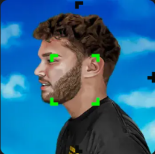
Adin Ross
Classic badge
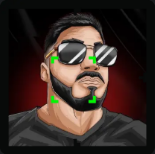
NICKMERCS
Bordered
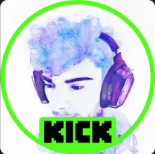
iceposeidon
Rounded
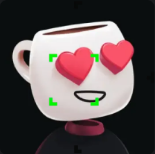
Sketch
Classic badge
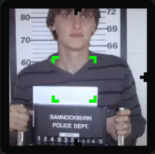
Ac7ionMan
Bordered
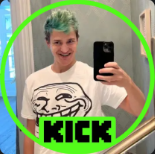
Ninja
Rounded
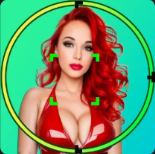
Amouranth
Rounded
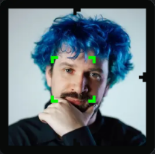
Destiny
Bordered